One Line · note app
Notes, to-dos and routines,
sorted as you write them
Write one line and it lands where it belongs. No folders, no rules to learn. Tags only if you want them.
Free on the web 5GB of attachments No ads
Nothing to download. Open it in your browser and start typing — no sign-in needed. Sign in with Apple or Google to carry on from your phone.
On iPhone? The app keeps the same writing.
Today all three kinds, one screen
- RoutineTeam meetingEvery Tuesday
- To-doDentistTomorrow 15:00
- To-doElectricity billBy Friday
- NoteThe film was better than I expectedJust now
Dentist tomorrow at 3
Thirty-seven seconds
One line written, and where it goes. This is the real screen.
37 seconds · has sound · nothing is downloaded until you press play.
The moment you write it, it goes where it belongs
You never decide where something goes before you write it. Type the sentence the way you would say it, press Enter, and the app reads it and files it as a note, a to-do or a routine.
Dentist tomorrow at 3Enter
- Dentist tomorrow at 3To-doTomorrow 15:00, on the calendar too
- Pay the electricity bill by FridayTaskDue Friday
- Buy milkTaskOn today's list
- Team meeting every TuesdayRoutineEvery Tuesday, on the blue card
- The film was better than I expectedNoteTop of your notes
If it gets one wrong, a single tap moves it, and the correction sticks from then on. What you typed is never rewritten — only where it sits changes.
Three screens and one box
Today, Notes, Calendar — plus the box you write in. That is the whole app, and the web puts the same four things in the same places. Below are the actual app screens from the App Store.
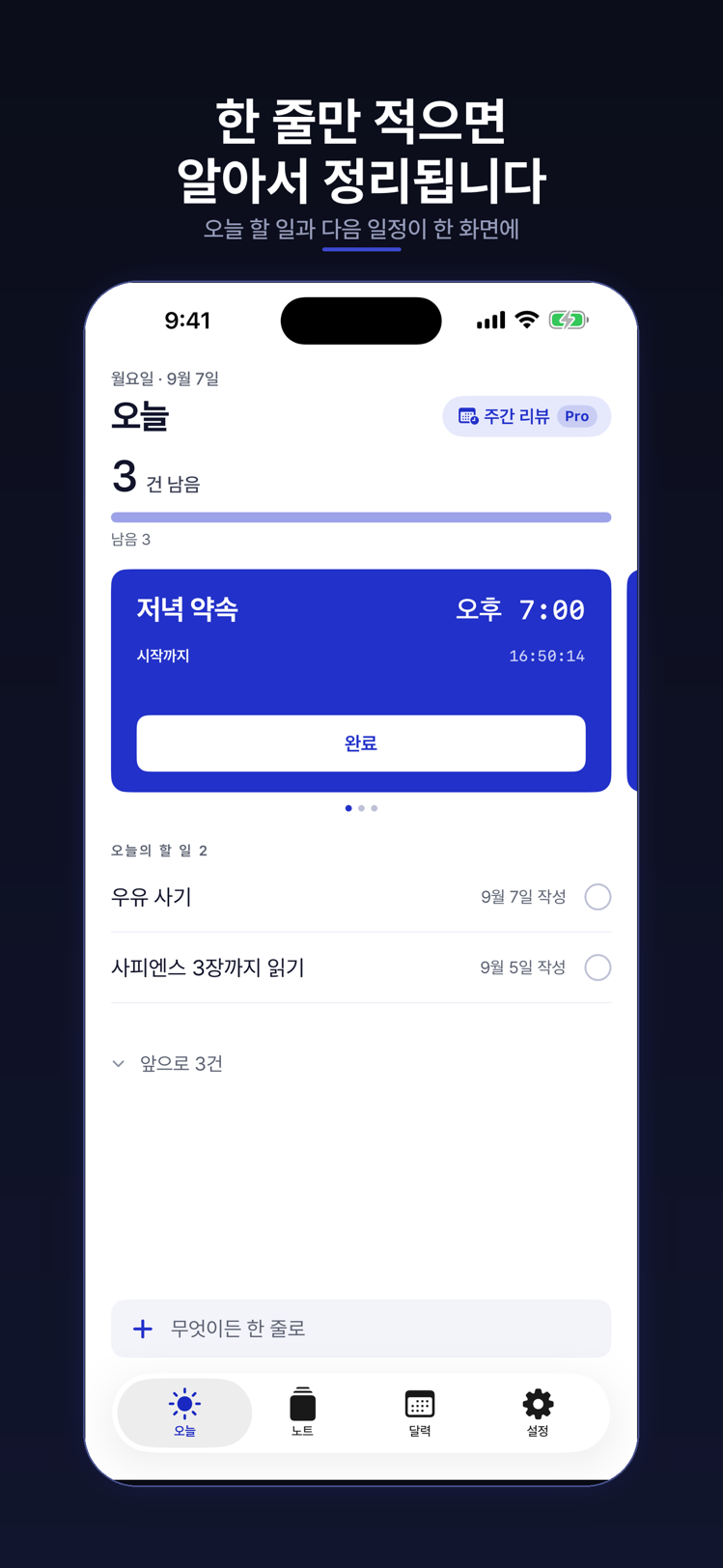
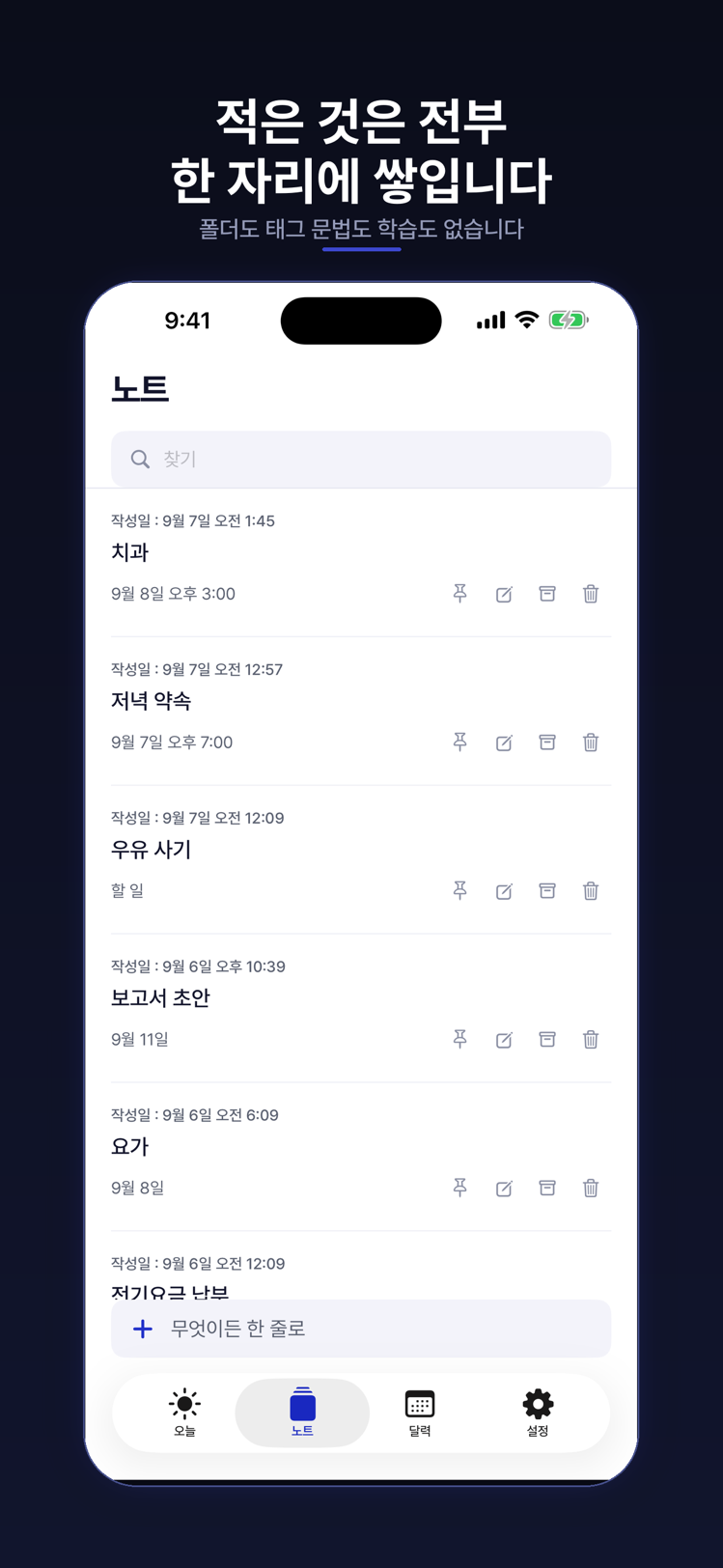
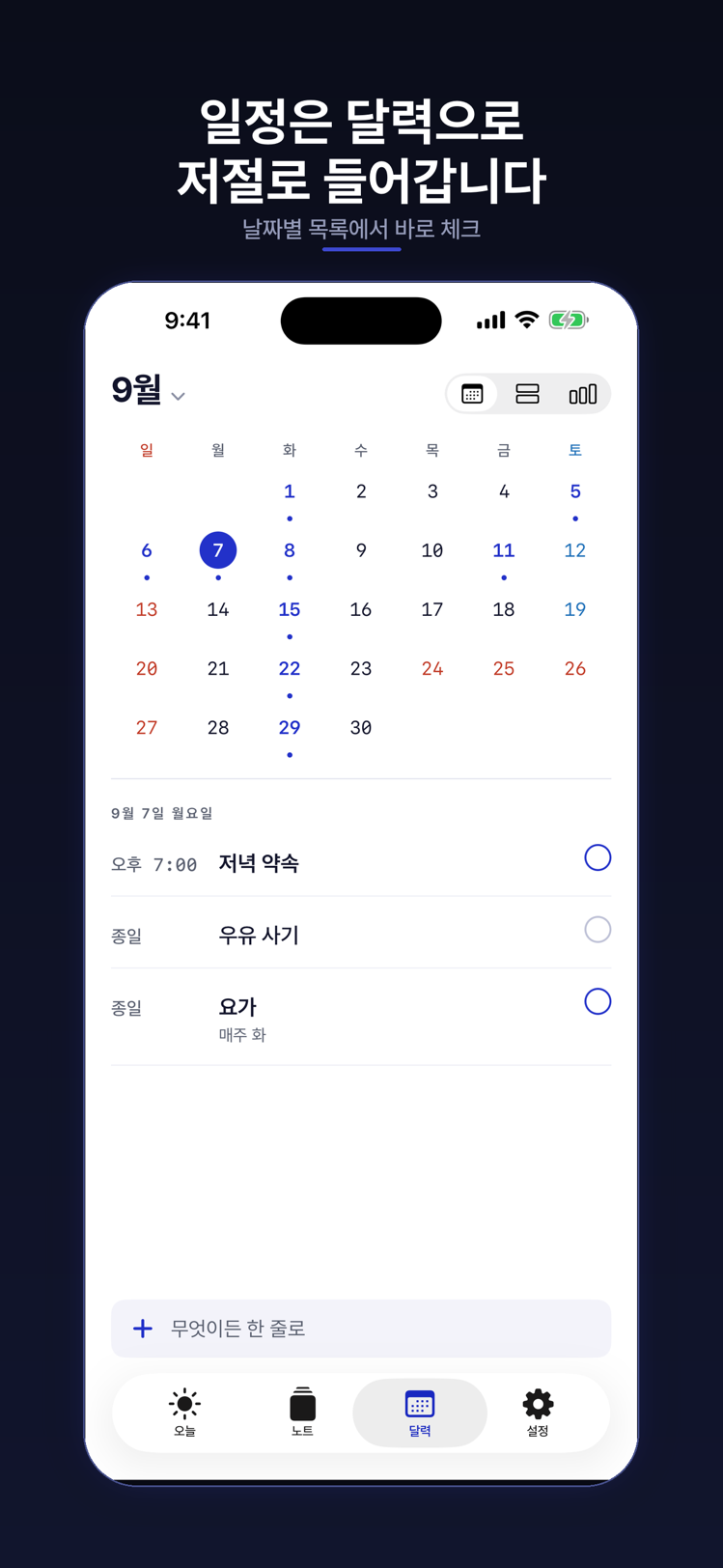
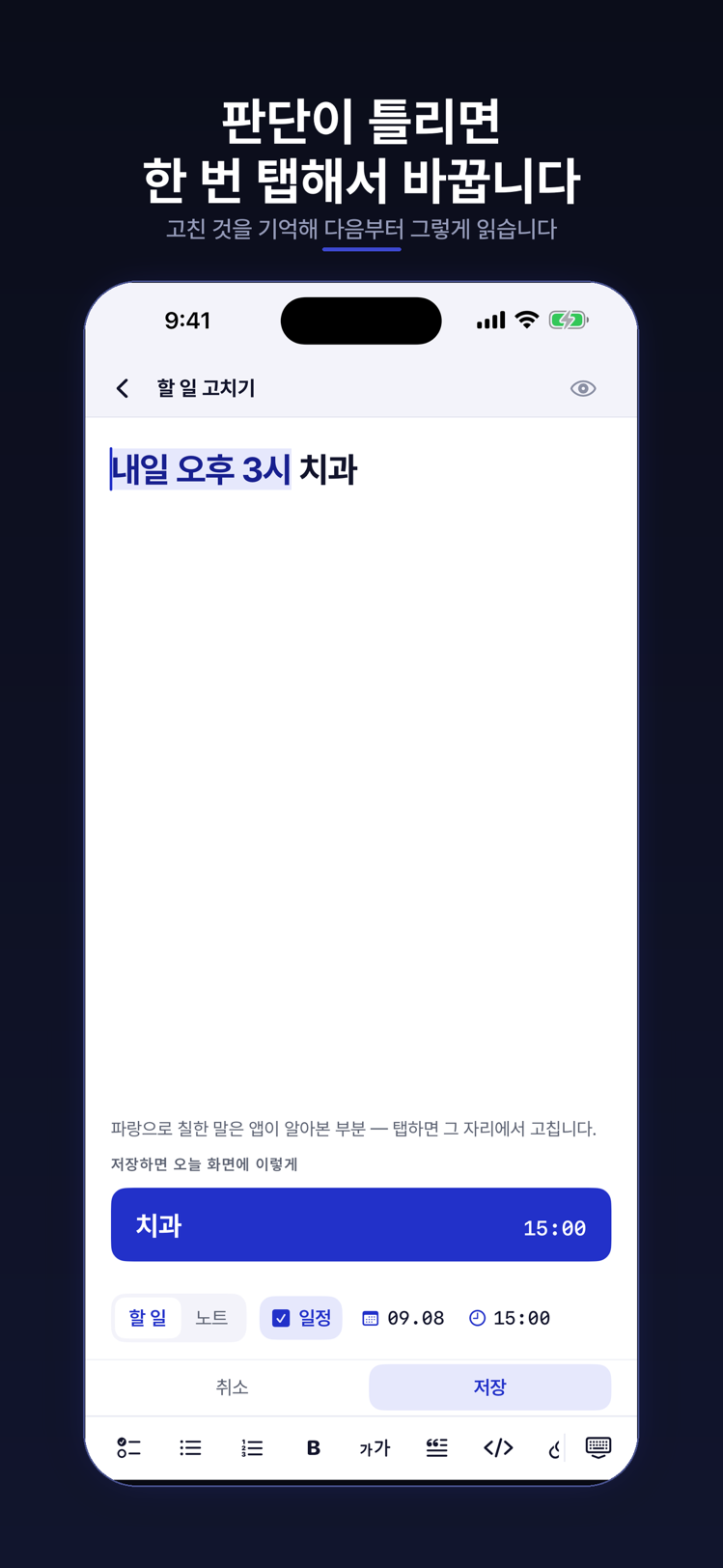
Nothing to learn first
People abandon organising apps less because the app is hard than because so much has to be decided before a single word is written. All of those decisions are gone.
No folders
There is no screen asking where to put this. You find things again by searching for them.
Tags only if you want them
Nothing to memorise — write it in plain words. When you want to group things, add #work and it becomes a tag.
No rules to set up
There is no automation panel and no conditions to define. It works properly on day one, untouched.
One box
There isn't a separate box for notes, to-dos and routines. Write in the one box; it divides itself.
One tap fixes a wrong guess
If something should have been a to-do, change it where it sits. The correction is remembered.
The same line always sorts the same
The call is made by a dictionary and a date calculation, not by an AI. It does not drift.
On your iPhone
The app and the web sign in to the same account and show the same writing. A line typed on the phone is already in the browser, and an edit made in the browser shows up on the phone. Start on either one.
Opens on iPhone and iPad. The app is called One Line: Notes That Sort.
What the app adds
- Reminders The phone tells you when the time comes. Notifications are iOS only.
- Widgets See today on the home and lock screens, and write a line without opening the app.
- The share sheet Send a page, a link or a photo from any other app straight into a line.
- Text in photos, and dictation It reads the words in a photo you saved and writes down what you say. Apple does this on the device, so it does not leave the phone either. These two are Pro features in the app.
The web has none of those four — a browser cannot do them, or only an iPhone can. So the web concentrates on reading, writing and editing.
Round trips. Reading and sorting your text happens on the device.
Analytics SDKs. Nobody counts what you write — the web only counts anonymous visits, and you can turn that off in settings.
Ads. Now and later.
Line. That is the only thing you decide as you write.
Until you turn on sync, nothing leaves the device.
Sign in and turn on sync, and from that point your writing is stored on our servers under your own account. Not before. The details are in the privacy policy.
Writing is free
Notes, to-dos and routines without a count limit — writing them, reading them, editing them, and syncing them between your devices. No ads either.
The web is free — reading, writing, editing, and uploading photos, recordings and files alike. Each account has one storage limit; past it, everything already uploaded stays and only new files are blocked. Purchases happen only in the app: this website has no checkout and no price list. Subscriptions are handled inside the iPhone app, cancelling is done in Apple's Settings, and the support page walks through it.
Worth reading
Three short pieces to read before you start.
- A note app that doesn't make you file things — write one line; the sorting happens after.
- Carry on writing: from your phone to a computer — a browser is all you need.
- When notes only pile up — tags, archiving, and a 14-day trash.
If you need a hand
If something gets in your way, or you have an idea, write to manager@x-ti.org. We reply within 2–3 business days. The support page collects the eleven questions we are asked most, and what changed records what moved and when.