Everything you need to put One Line in an article, a review, a roundup or an app
listing. You do not need to ask us first. Use the files below as they
are, and keep the proportions of the mark.
The One Line markFour bars of different lengths — what you wrote, sorted into place. Keep the proportions, and leave clear space of at least a quarter of the height of the mark around it.
The name
In English it is One Line — two words, both capitalised. In
Korean it is 한줄, written as one word.
The App Store listing uses longer names —
One Line: Notes That Sort in English and
한줄: 적으면 정리되는 메모 in Korean. Use those only when you are
quoting the store listing; in prose, call it One Line.
It is made by XTI Co., Ltd. One Line is the product name, not the
company name.
The mark
Four bars of different lengths — a written line finding its place. It comes as
a square and as a rounded tile; icon slots crop it themselves.
Mark (vector)SVGThe source. Use this whenever you need to scale it up.Download
Mark 512PNG · 512×512The default when vector is not an option.Download
Mark 192PNG · 192×192For small slots in lists and tables.Download
Mark 180PNG · 180×180The size the iPhone home screen uses.Download
FaviconICOFor the browser tab. One file holding 16, 32 and 48.Download
Mark (safe-area)PNG · 512×512For places that crop icons to a circle. The art sits inside the middle 76%.Download
Mark (monochrome)PNG · 512×512For places that print in a single colour. The bars are white on transparent, so it vanishes on a light ground.Download
Please do
Keep the proportions. Do not stretch or squash it to fit.
Leave clear space of at least a quarter of the height of the mark around it.
Use the monochrome file on dark grounds and the colour file on light ones.
At small sizes use the 192 or 180 file rather than the vector — the edges are cleaner.
Please do not
Recolour, rotate, or add shadows, skews or outlines
Change the length or spacing of the four bars
Round the corners yourself — leave rounding to the platform
Use it as the mark of another product, service or app
Use it in a way that reads as our endorsement or partnership
App icons
The three originals iOS uses. Same artwork as the mark above, but iOS picks one of
the three depending on how light or tinted the home screen is.
They are best taken together — someone with a dark home screen
only ever sees the middle one.
App iconPNG · 1024×1024The default on the iPhone home screen. The same artwork as the mark above.Download
App icon (dark)PNG · 1024×1024What people see with a dark home screen.Download
App icon (tinted)PNG · 1024×1024The one iOS tints to a single hue. Only the values survive.Download
1024×1024 PNG, no transparency, corners not yet rounded.
Colours
The ground is a single blue, #2231C9. The four bars on top are the
rest, and their order is fixed. The last two are the tints the web uses for accent
surfaces and for dark grounds.
#2231C9One Line Blue — ground — 8.93:1 against white text
#FFFFFFFirst bar
#EDD9B0Second bar
#7FE3EAThird bar
#9098E4Fourth bar
#E6E8FCTinted surface — on light — Selected surfaces on web and app
#8E98F5Lifted blue — on dark — Text and strokes only, on dark
Typeface
We use Pretendard 1.3.9. It is not ours, so it is not in the kit
— it is under the SIL Open Font License 1.1 and was made by Kil Hyung-jin. You
can get it from the
original repository.
If you are setting our copy in your own article, any typeface is fine. Using ours is
not a condition.
App screenshots
The same four images that are on the App Store, at 1290×2796, with
the title and subtitle already set. No records belonging to anyone
else are in them. The four shown here are the Korean edition.
The English edition of the same four, eight
iPad screens (2064×2752) and ten
unframed originals (1320×2868) are all in the pack below. Take
the unframed ones if you want to set your own caption.
Eight iPhone, eight iPad and ten unframed originals
Cropping is fine. Please do not composite in anything the screen did not show, or
replace the text with different words. One of the unframed originals shows the Pro
screen with a price on it; that was the price on the day it was captured, and
the App Store is always the reference.
The web app
The same records opened on a computer (oneline.date). It shows the
same writing as the app, and on a wide screen it puts the list and the note
side by side.
Screenshots of the web app are still being made. If you need one now, write to manager@x-ti.org and we will capture it at the size you need.
Device mockups
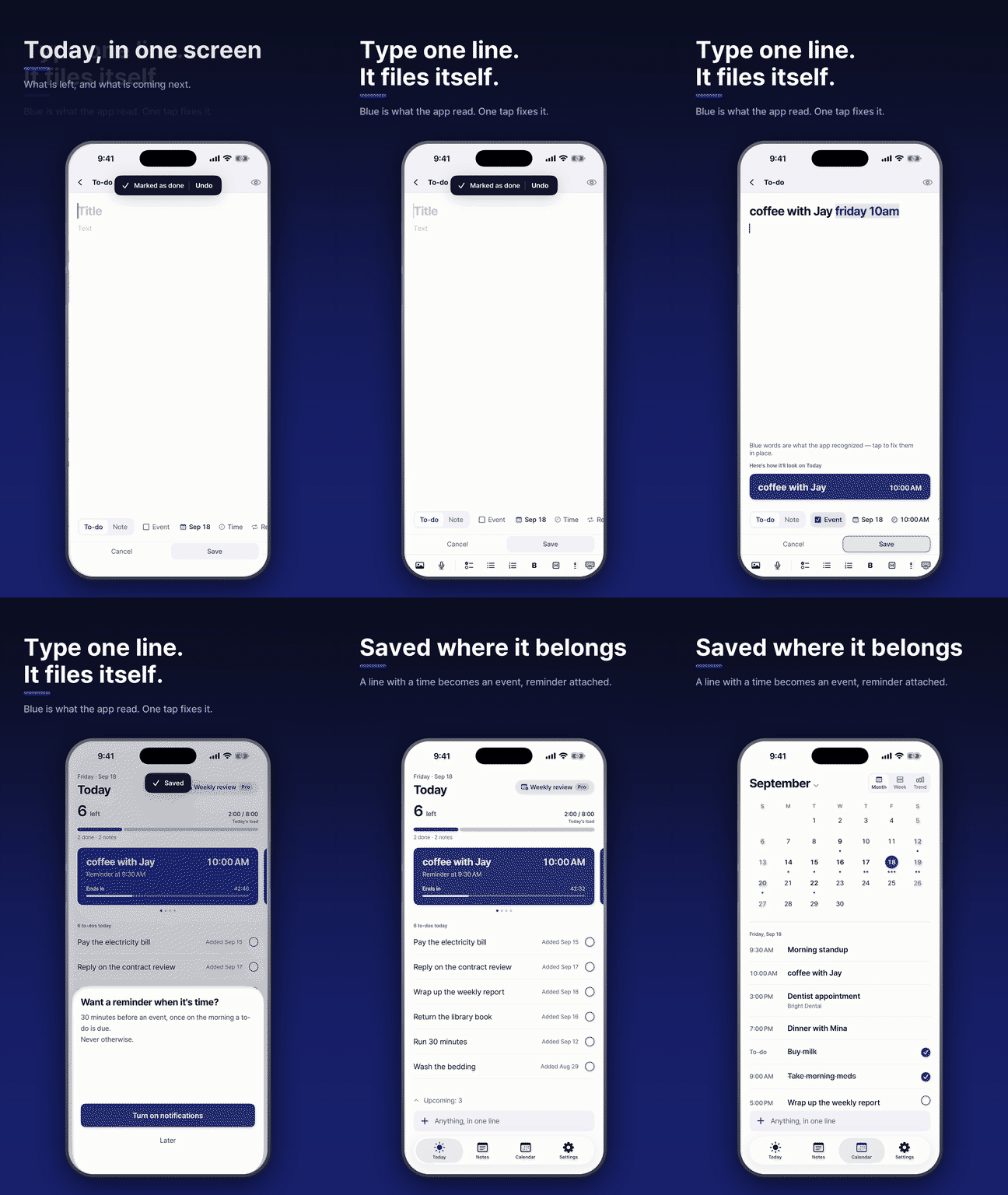
Twenty-nine images of the screens set into device frames — seven scenes in four
shapes: hero (2400×1350), wide (1920×1080), square (1080×1080) and
story (1080×1920). Pick the shape that matches your slot and you will not have
to crop.
The image that shows when the link is pasted into a chat or a feed.
Share cardPNG · 1200×630The image that shows when the link is pasted into a chat or a feed.Download
If something is missing
If a file will not download, a size you need is missing, or you need screenshots in
another language, write to
manager@x-ti.org. Tell us where it will go and
we will make it at that size.
The files on this page are the ones currently deployed. The kit is built when you
download it, so nothing stale gets in.
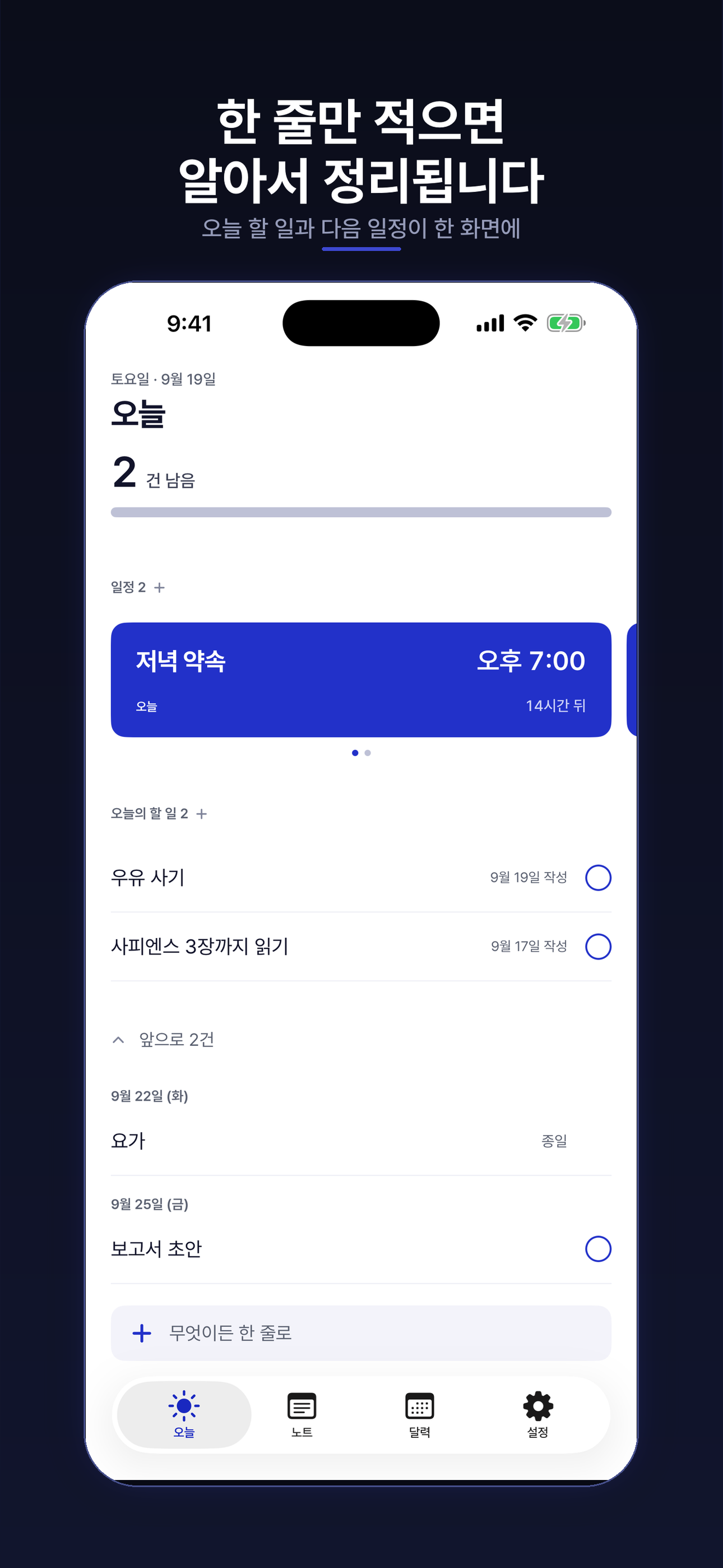 Today (Korean)
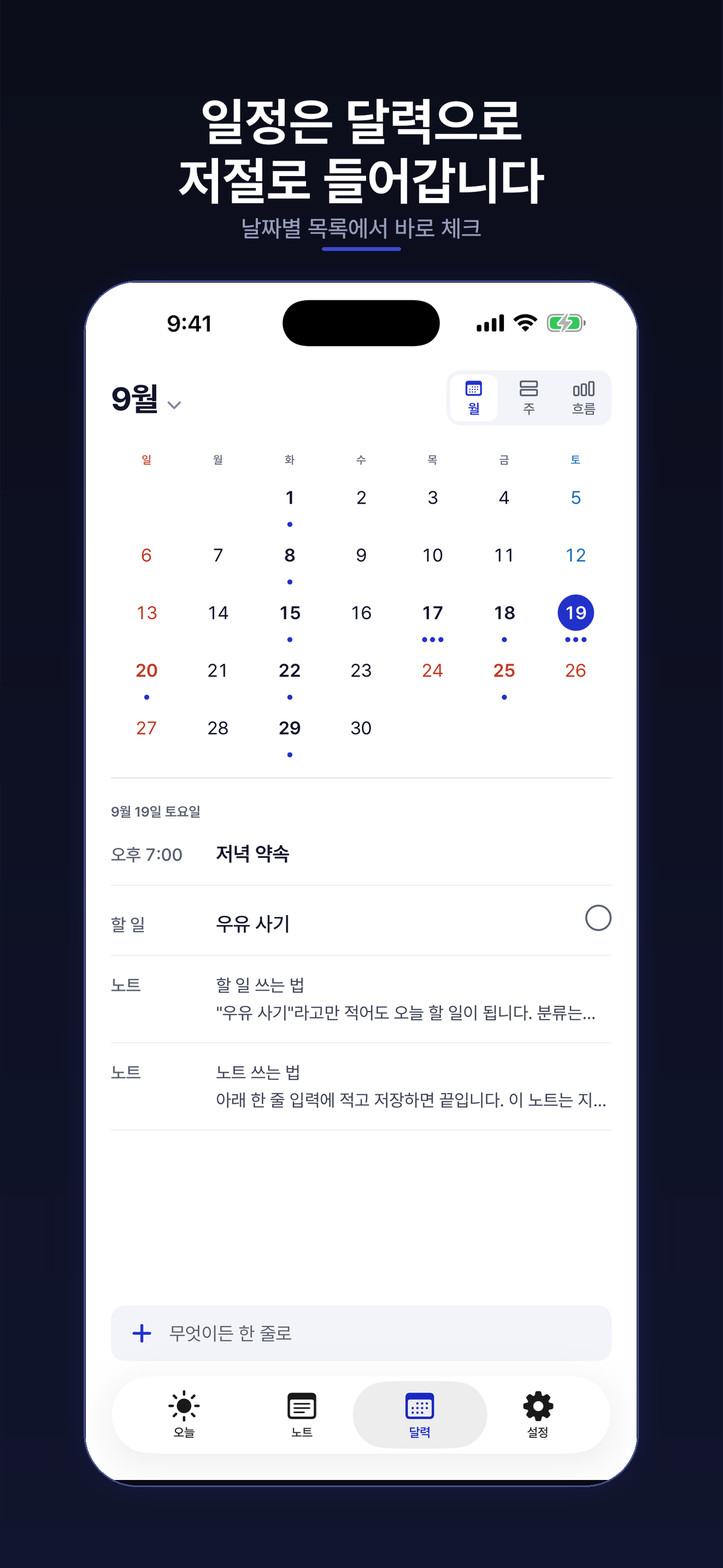 Calendar (Korean)
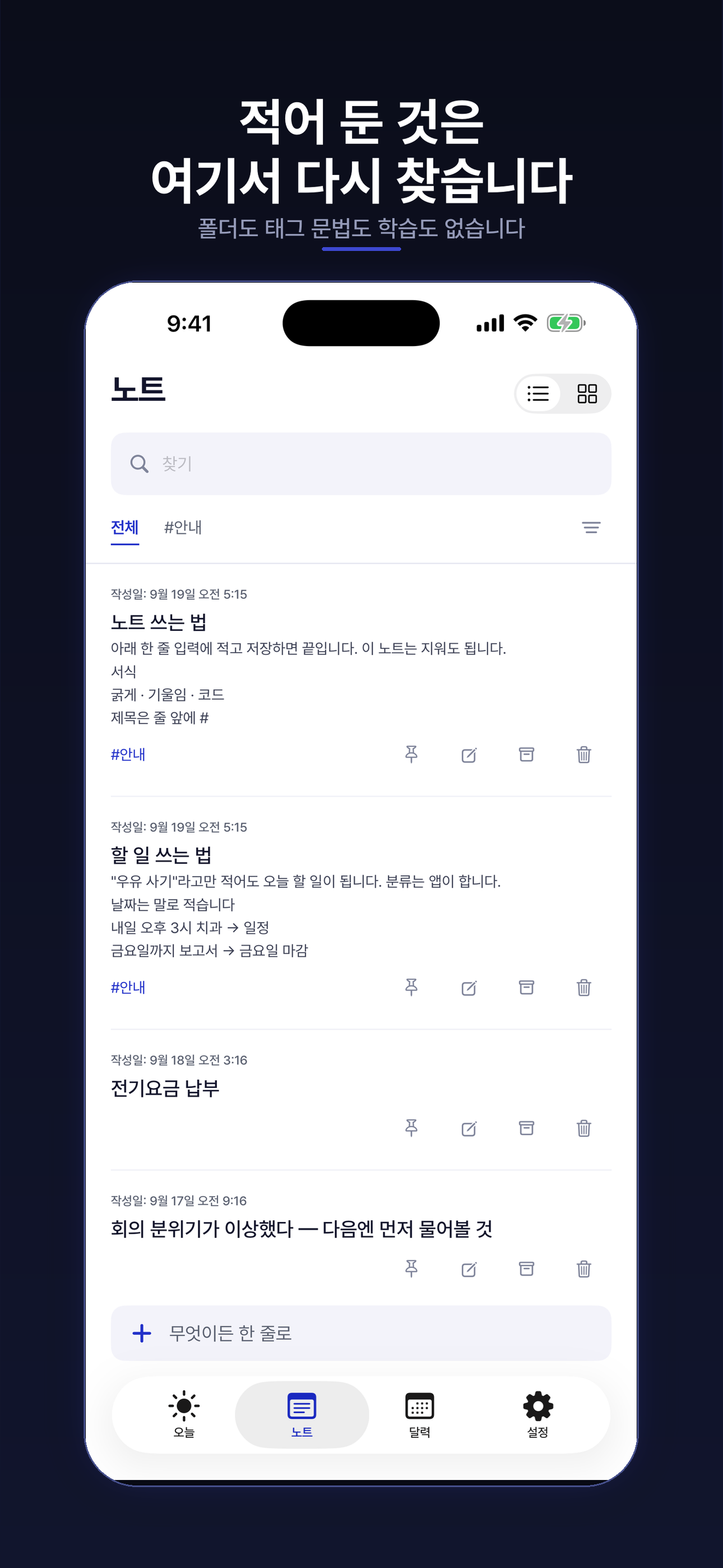 Notes (Korean)
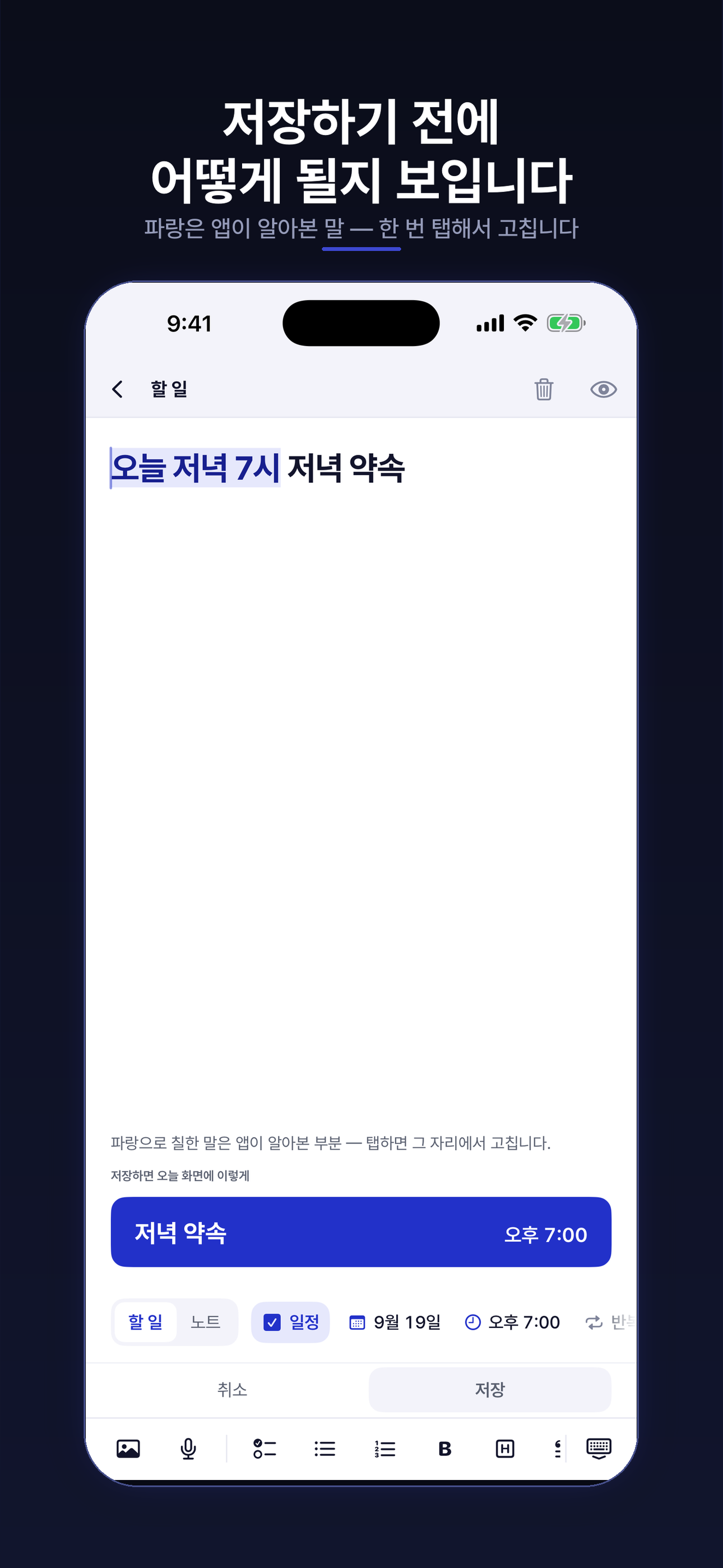 The one line (Korean)
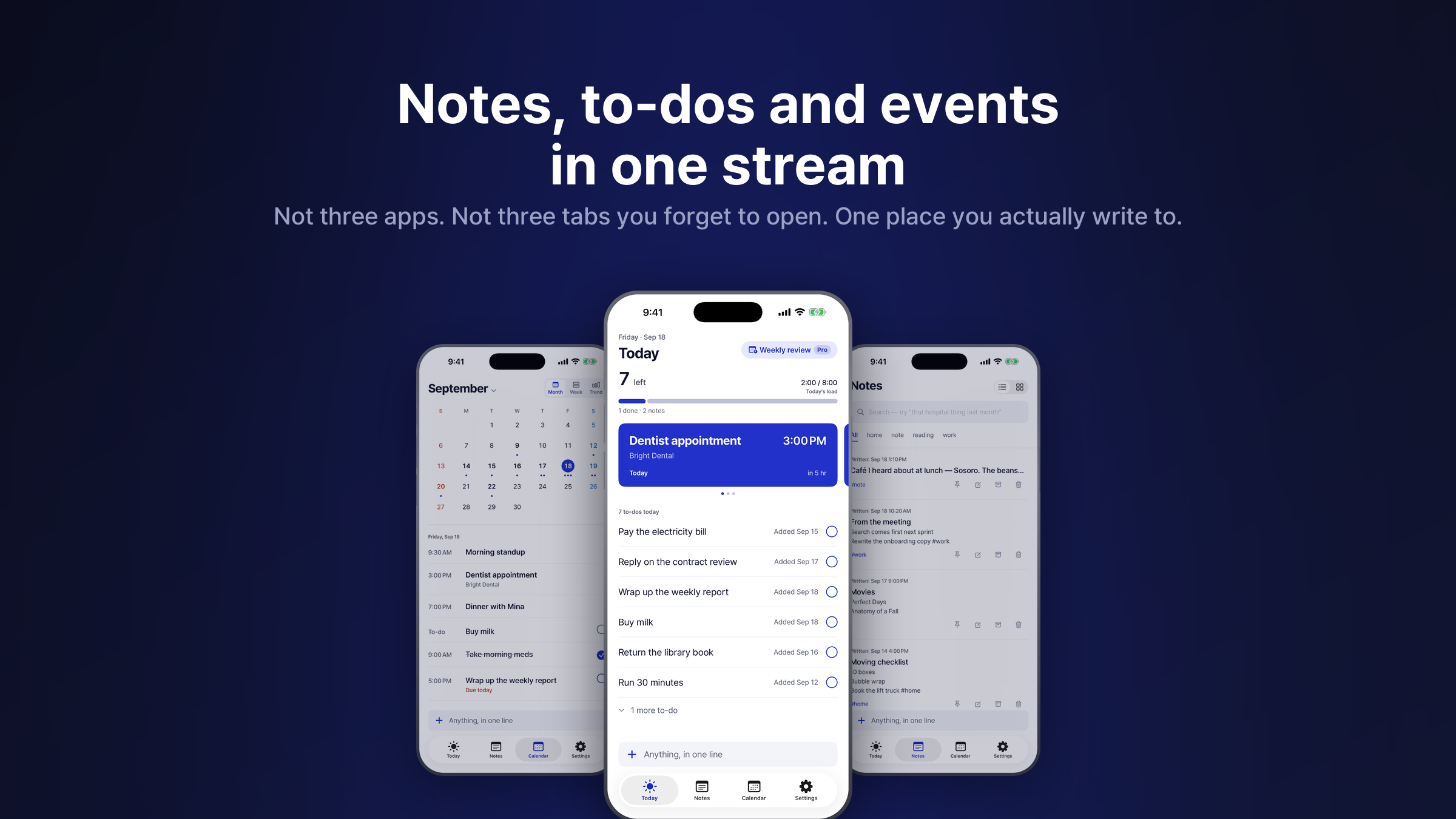 Three together
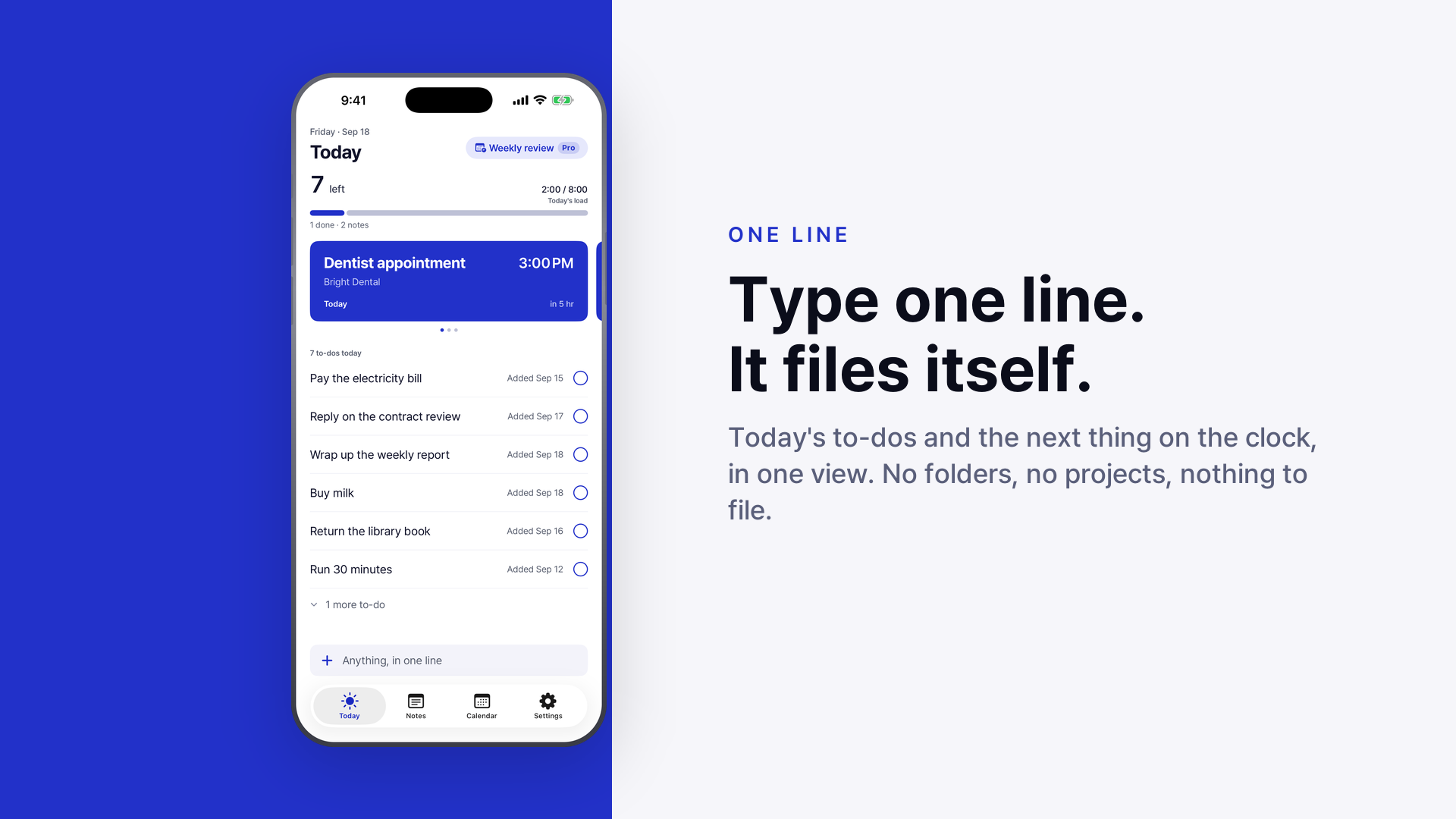 Today · wide
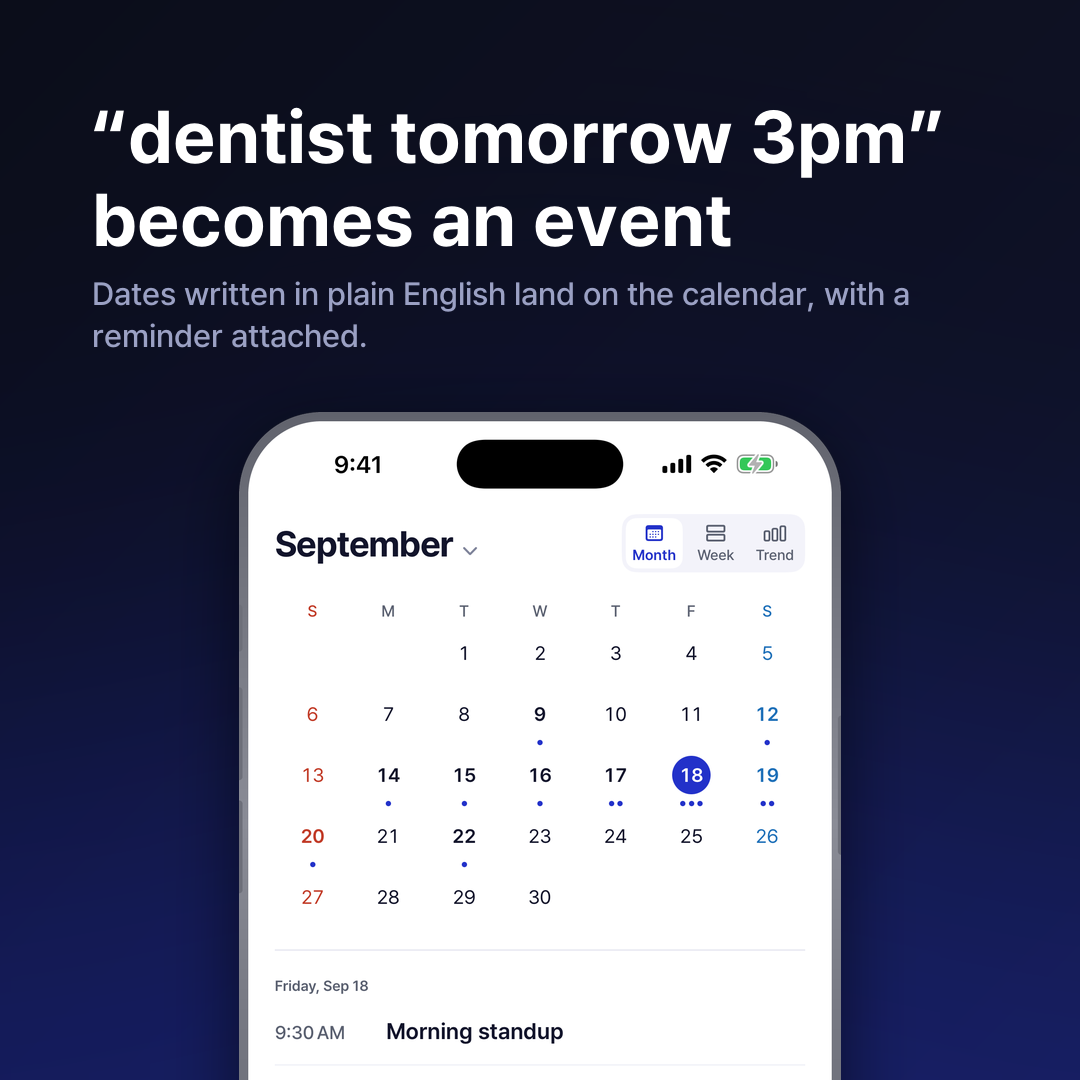 Calendar · square
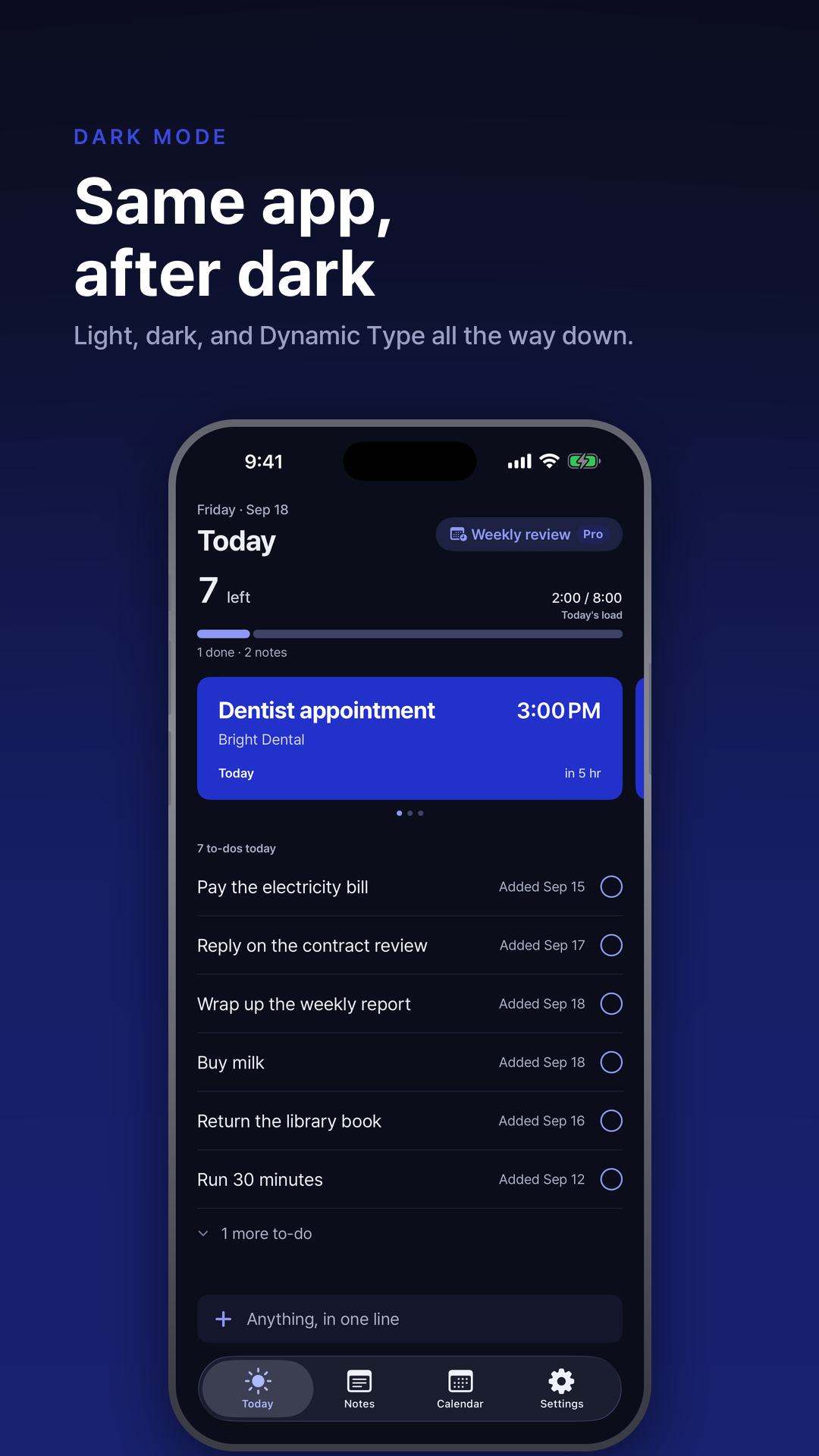 Dark · story